The Problem
Customer support agents struggle to stay focused while juggling tasks across disconnected screens. New hires are forced to learn on the go which leads to delays or errors. Supervisors lack visibility into team performance and agent productivity, making it hard to provide timely support.
Lack of visibility into agent activity and performance for supervisors
Inefficient for agents to switch between tasks
Harder for new team members to onboard
challenge #1
challenge #2
challenge #3
I keep switching between screens just to complete one call. It breaks my focus every time.
Agent
The interface shows me too many things at once. I don’t know what’s important.
I don’t know how my team is spending their time unless I ask them one by one. There’s no quick way to check who's productive and who needs support.
Supervisor
I have to start taking calls from day one because we’re short-staffed. I barely get time to learn the system, it takes me days to figure things out.
Agent
Agent
The Solution
Redesigned CRM experience with a unified dashboard that minimizes task switching for agents and improves visibility for supervisors. A progressive onboarding flow supports new hires in learning the system independently, reducing friction and errors during live customer support.
Process
Collaborating closely with developers and product managers, I audited the existing CRM across multiple products to understand gaps in workflows, information hierarchy, and content clarity. I rewrote platform copy to improve scan-ability and reduce cognitive load for agents and supervisors. As the sole designer on the project, this phase involved extensive auditing, prioritization, and alignment across teams.
*The UI was redesigned on top of an existing backend, requiring solutions that worked within established data models and workflows.
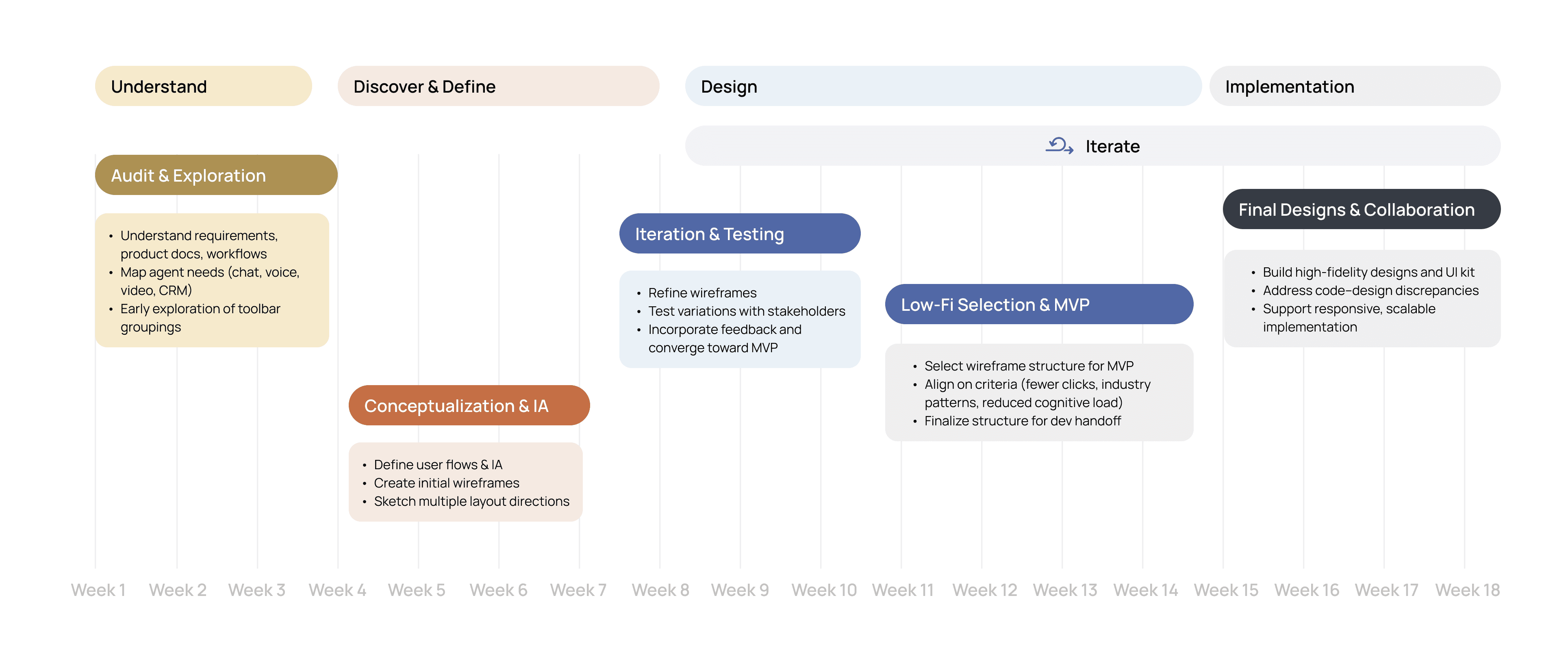
Working closely with the end users, I reviewed the clarity and usability of system-facing text across the CRM dashboard. The goal was to reduce friction in agent workflows by rewriting technical or developer-written language into clearer, action-oriented copy.
UX Writing Audit:
Enhancing Agent-Friendliness
Category
Previous Terms
Revised Terms
Design Rationale
Status Labels
Navigation Items
Graph Legends
Search Bar Placeholder
Resolution, Transfer, Network Loss
Library, Location, Reports
Issue Resolved, Call Transferred, Connectivity Issue
Help Center, Agent Location, Performance Reports
Active, Solving Issues, On Call
Clarity and User-Friendly Language
Technical terms like "Resolution" or "Transfer" require contextual understanding. Clearer phrasing aligns better with users’ mental models of what’s happening.
Library, Location, Reports
Search Subscriptions
Search customer, ticket, or call log
Findability and Familiarity
Label names reflect backend architecture, not user goals. Revised terms align with what users seek on the platform.
Interpretability and Role Framing
Graphs should reflect real-world actions in agent language. Renaming segments makes agent activity easier to understand for supervisors.
Task-Based Prompting
Original label is vague and backend-driven. New text suggests real tasks users typically perform, reducing hesitation.
Learnings & Reflections
Building modular UI kits early to speed up iteration and ensure consistency
Visualizing flows before screens to align stakeholders faster
Start
Overexploring variations without tying them back to user priorities
Waiting until late in the process to address code–design discrepancies
Stop
Continue
Collaborating closely with developers and PMs for feasibility
Simplifying complex workflows into clear, intuitive structures
Simplified Onboarding for New Agents:
Progressive Disclosure
Unified Task Dashboard
By consolidating core workflows into a single, scannable dashboard, I reduced friction caused by frequent task switching. The design prioritizes recognition over recall by surfacing key actions, statuses, and shortcuts in one place, allowing agents to move between calls, messages, and reports without losing context. This approach minimizes cognitive load and supports faster, more focused task execution in high‑pressure environments.
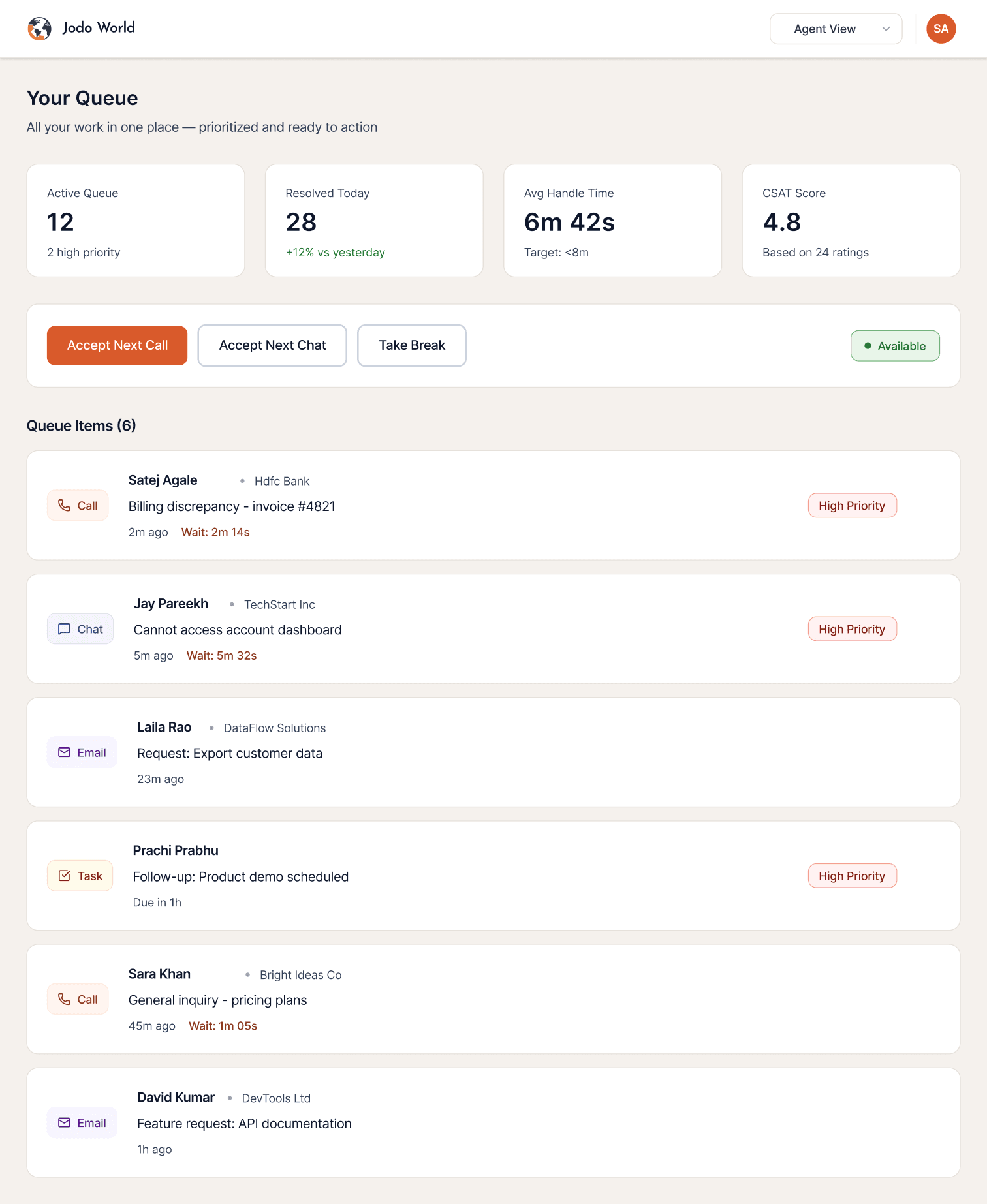
Queue items filtered by type and organized in different color for quick glance prioritization
Switch easily between
agent and supervisor view
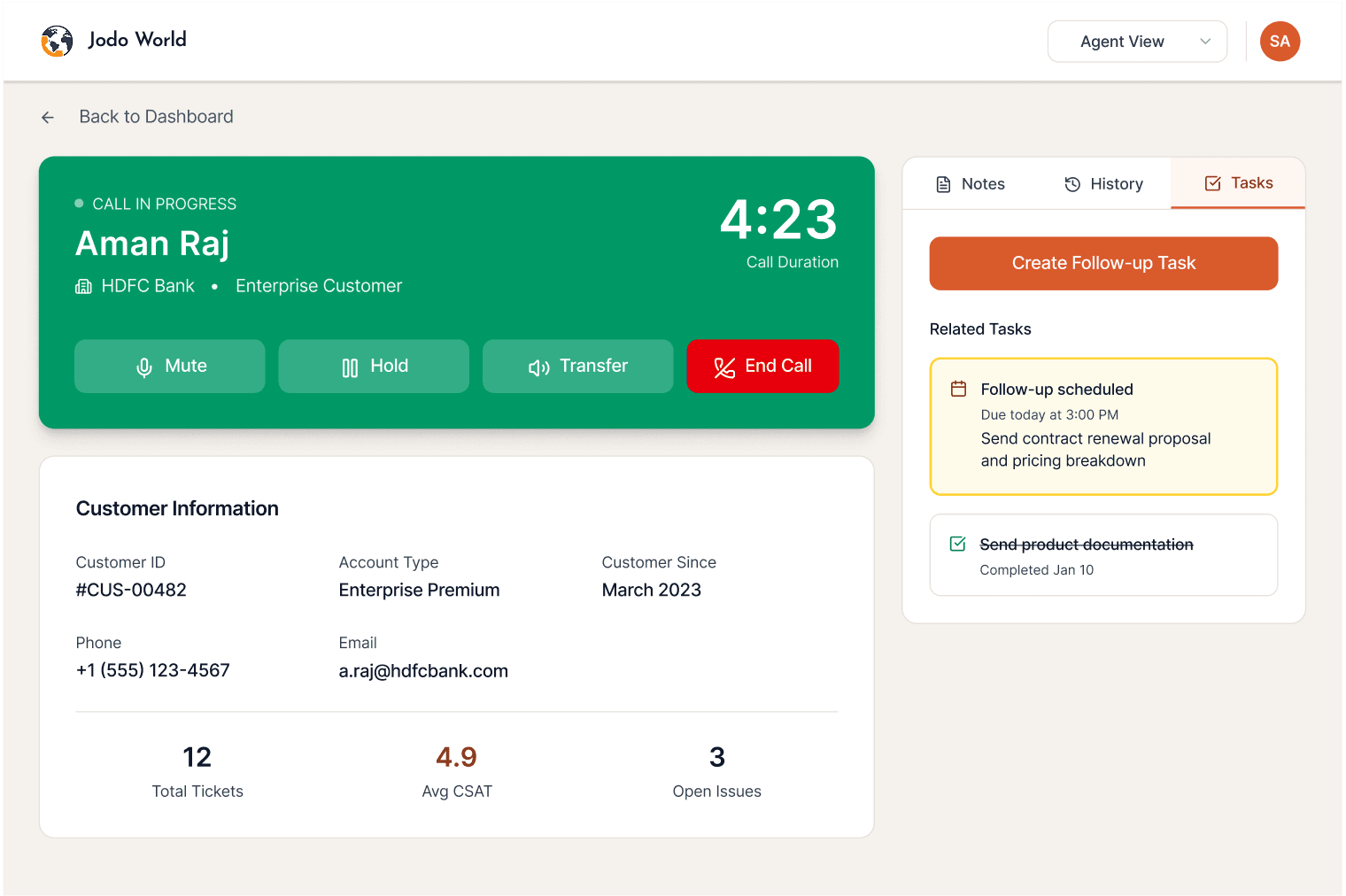
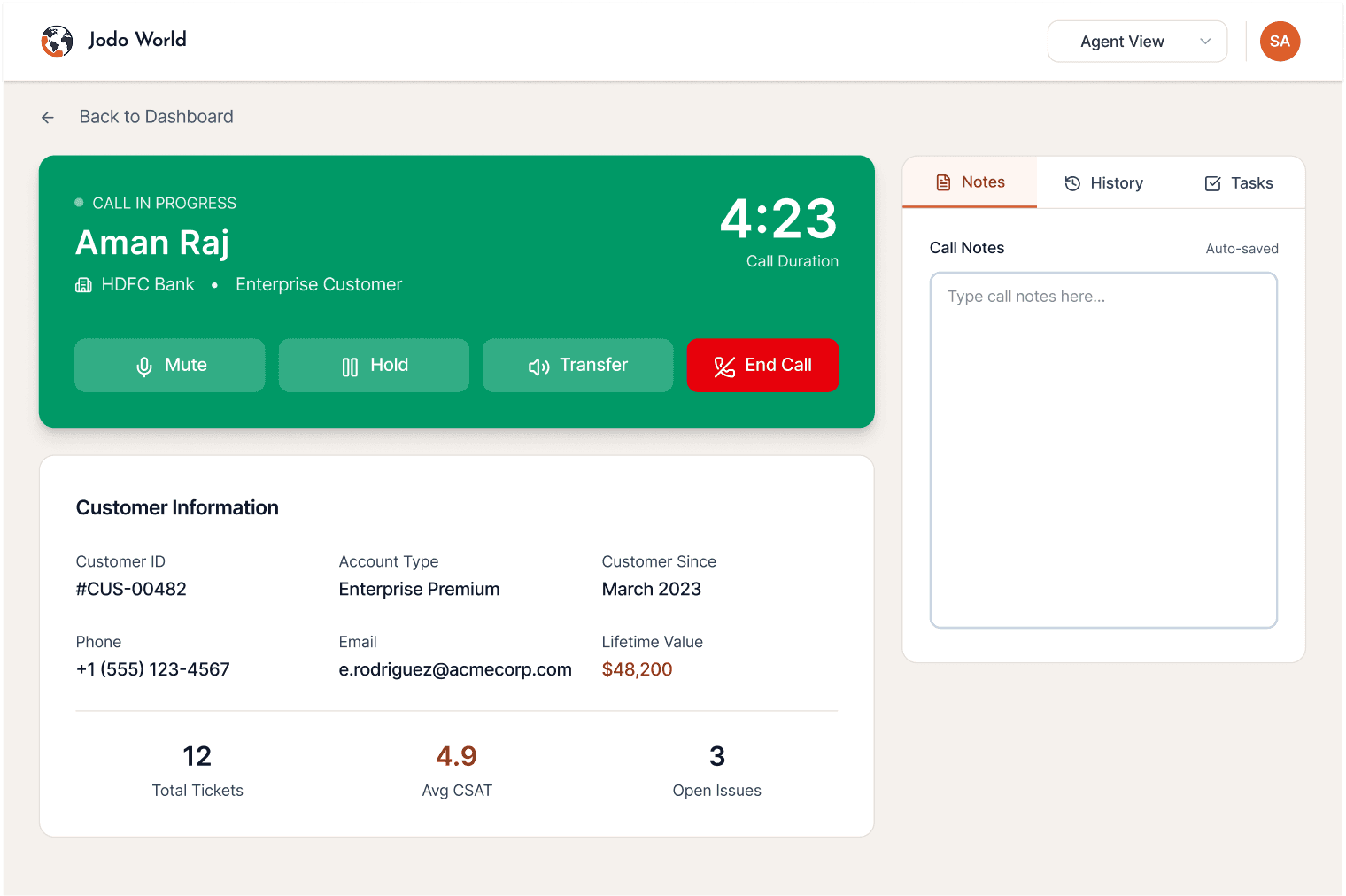
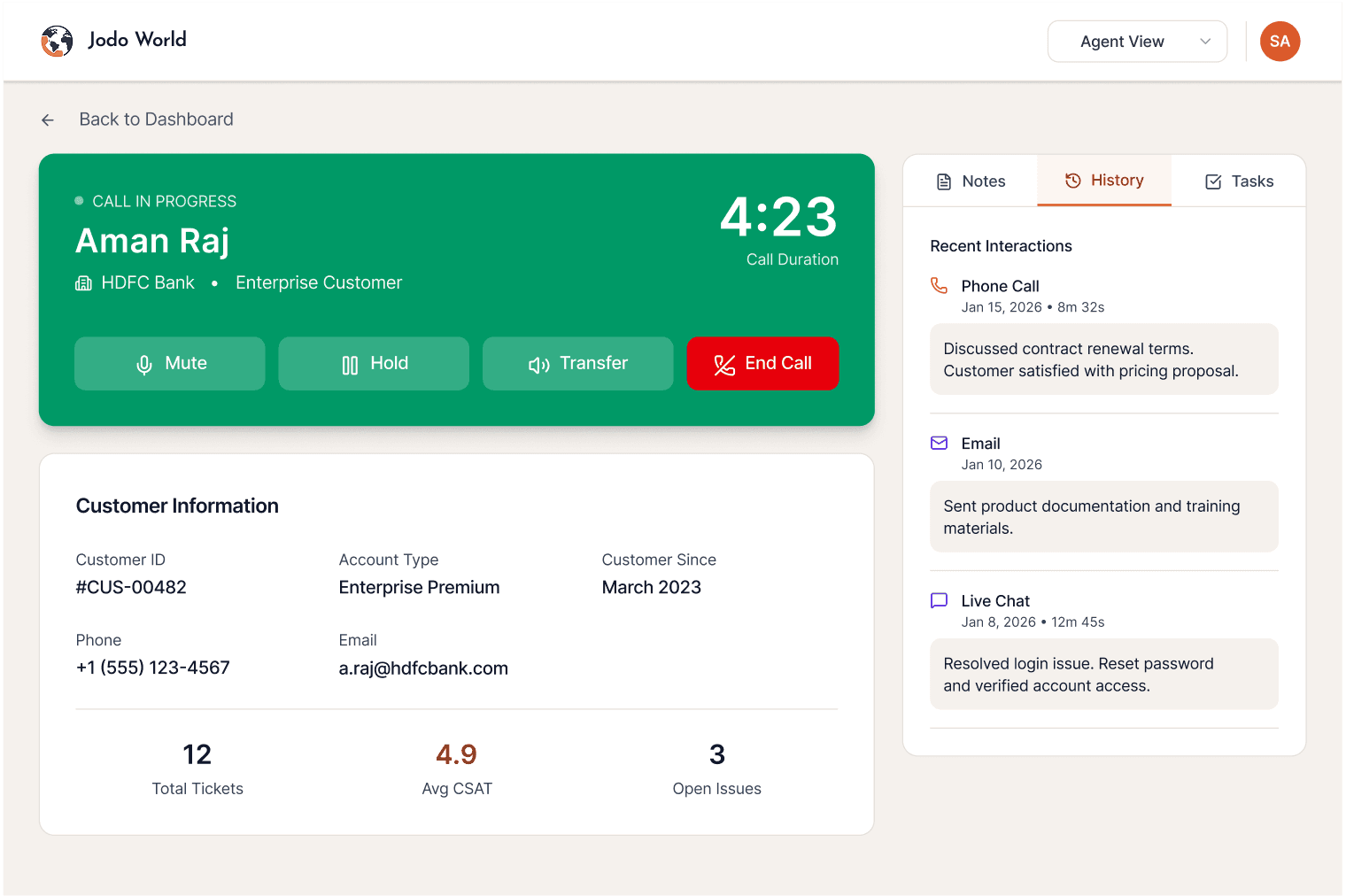
Checklist while on call making it easier to resolve issues instantly
Auto-Save notes in the chat preventing juggling 2 or more apps while resolving tokens
History for context
Avhan is a multi-channel CRM used by customer support teams to handle calls, chats, and follow-up tasks. The redesign streamlined fragmented workflows into a single dashboard, enabling agents to stay focused while giving supervisors clear insight into productivity and team health.
Unified CRM Experience for Agents and Supervisors
Company
Avhan Technologies
7 Months
Duration
1 Designer
1 Product Manager
5 Engineers
Team
Figma
Storybook
Notion
Miro
Tools
Sole Product Designer
Revamped User flows & IA
Created UI kits with responsive and configurable components
Addressed code ⎯ design discrepancies