B2b Saas
0 - 1
CRM
Multi-Channel Service UI Prototype
Built the Jodo Toolbar from scratch (0 → 1), reducing customer resolution time and agent fatigue
Role
UI/UX Design
Defined the information architecture for the service UI
Designed UI kits with responsive, configurable components
Bridged code–design discrepancies by collaborating closely with developers
Delivered end-to-end design specs and supported implementation
Team
1 Designer (Me)
4 Developers
2 PMs
1 UX Strategist
Tools
Figma
Adobe Illustrator
Microsoft Suite
Impact
Cut onboarding time for new agents by ~40%
Improved accuracy by reducing mis-click errors and confusion in the toolbar
Enabled agents to handle more live customer interactions per shift
Company
Avhan Technologies
Duration
4 Months
Project Overview
Jodo Link is a SaaS platform that enables businesses to instantly connect with customers via voice, video, and chat without any downloads.
The Jodo Toolbar is the central interface for service agents to manage these conversations. I worked on redesigning the service UI to make it simpler, faster, and easier to use in real-time interactions.
The Problem
The toolbar contained multiple overlapping features (chat, video, screen share, CRM, analytics, settings)
Cluttered and visually overwhelming
Inefficient for agents to switch between tasks
Harder for new team members to onboard
Process
challenge #1
challenge #2
challenge #3
Live Project
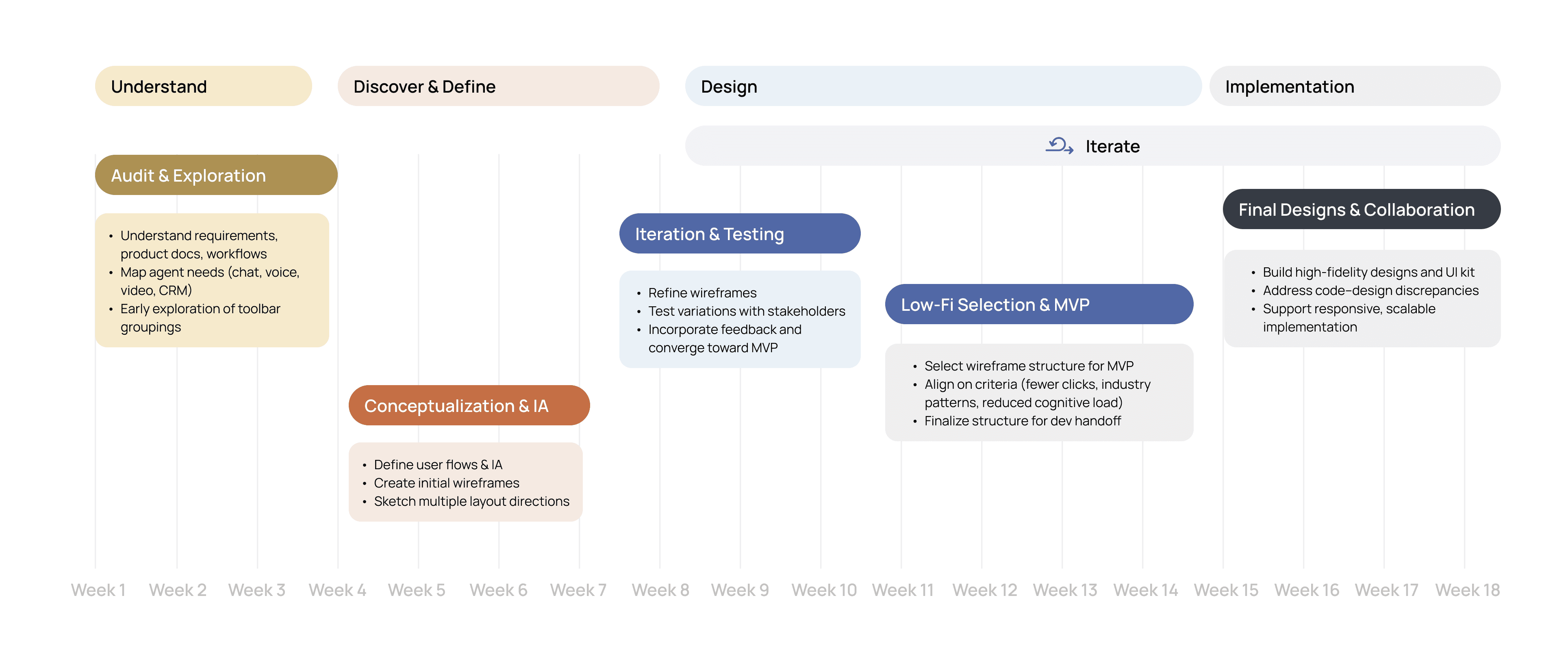
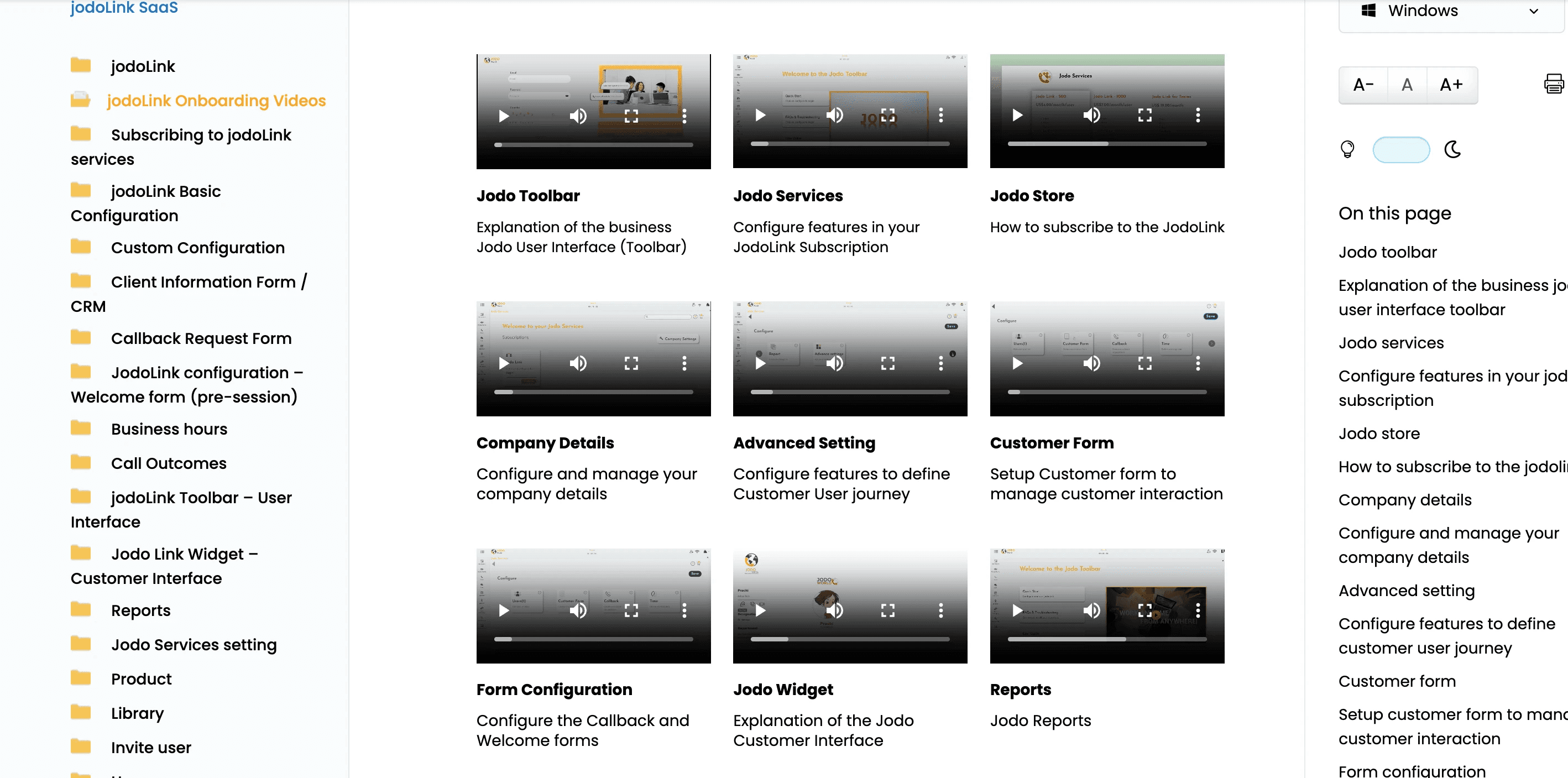
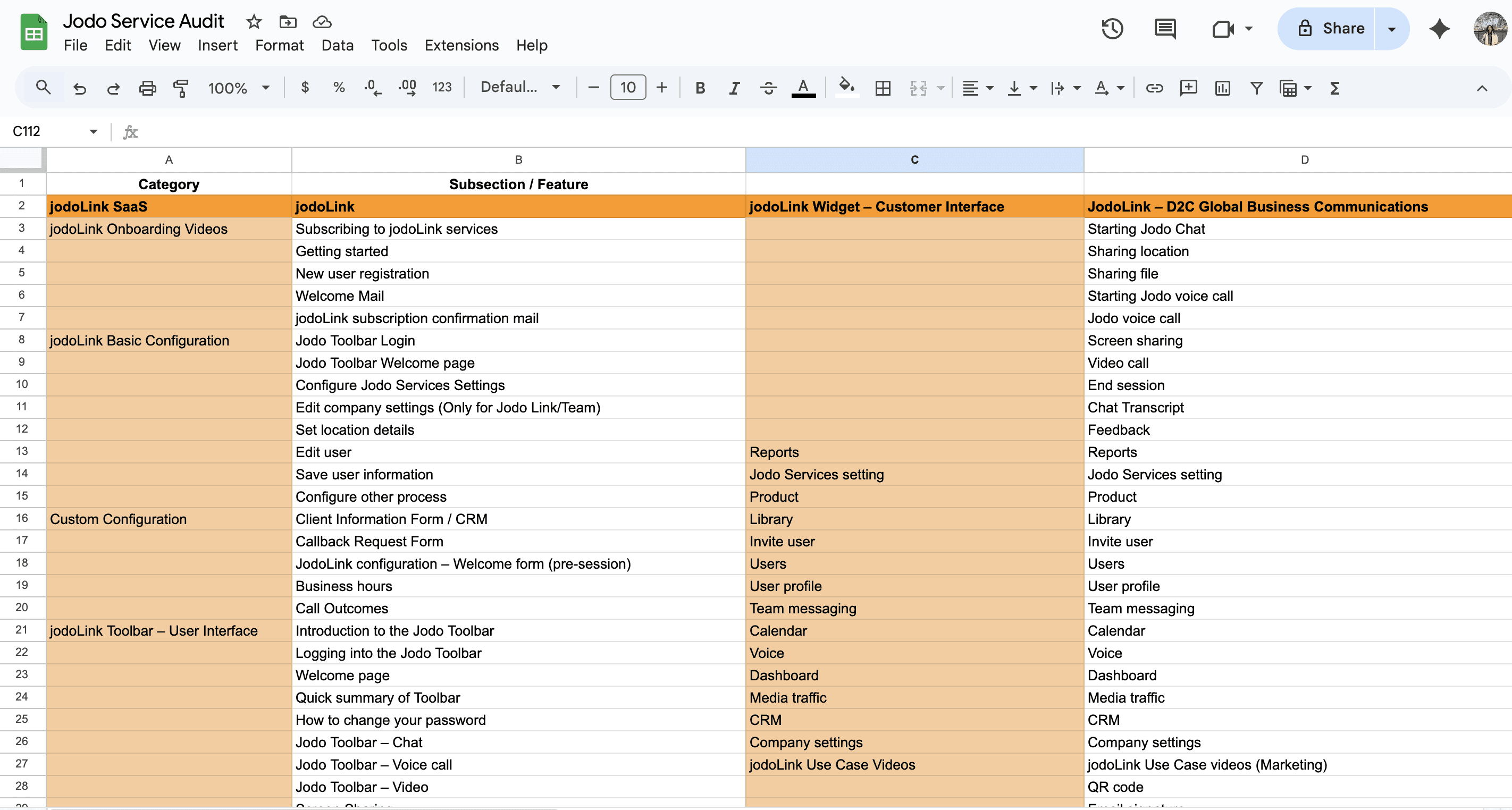
When I joined the project, the team had identified the need for an agent-facing service UI but had not yet defined how it should function. To ground myself, I studied the product documentation, spoke with the design and product teams, and mapped out the core workflows agents would need to handle such as chat, voice, video, and CRM access. This early onboarding gave me the foundation to structure the design process week by week
01 Audit & Exploration
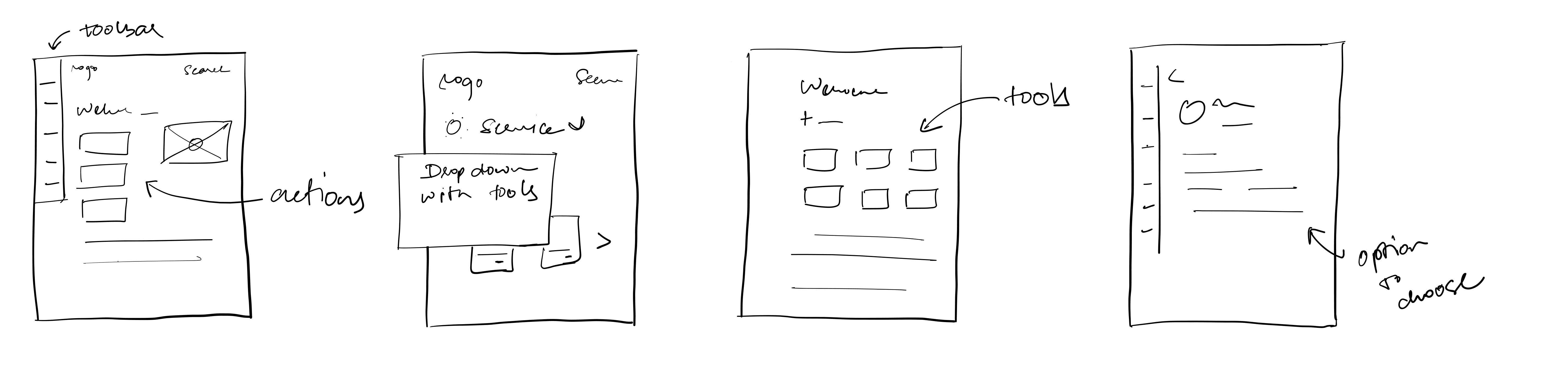
Multiple layout variations were sketched and wireframed to explore grouping strategies, hierarchy, and navigation. These were reviewed with internal stakeholders to refine clarity and reduce complexity.
02 Conceptualizing & Iteration
Early sketches and wireframes explored different layout approaches and interaction patterns for the toolbar.
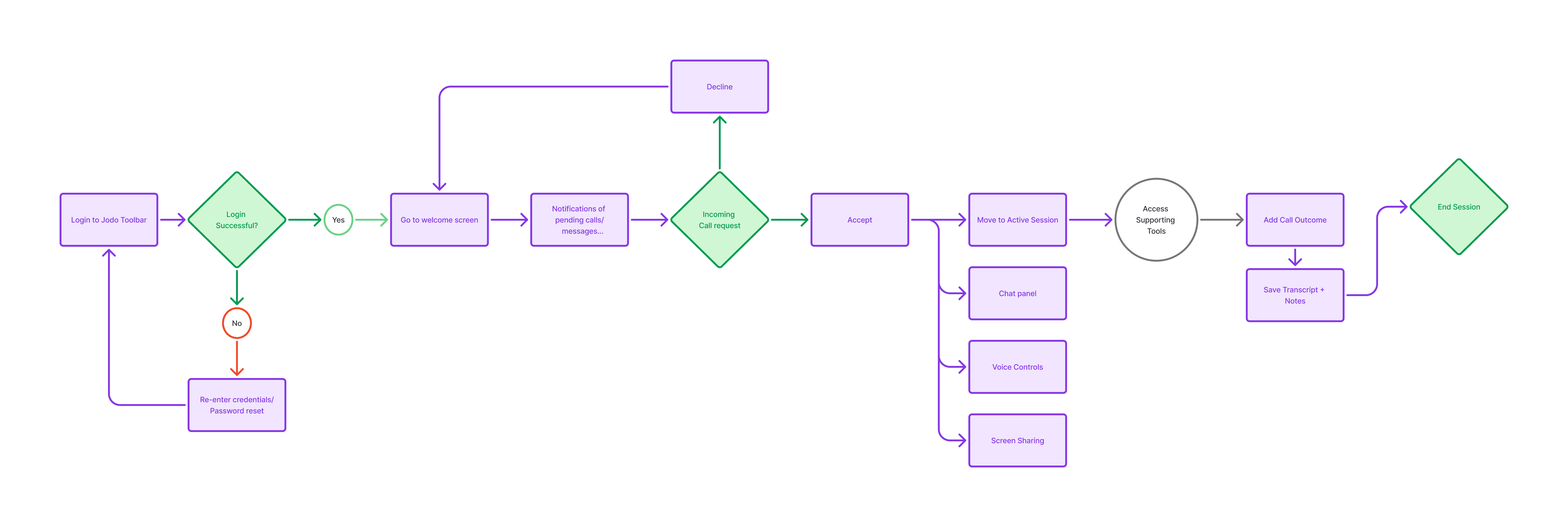
Core agent workflows such as chat, voice, video, screen share, and CRM access were identified and organized into functional groups. Early explorations focused on understanding how these capabilities should coexist within a single service UI.
03 Low-Fidelity Testing & Selection
Wireframes were tested internally and refined through brainstorming sessions. The structure selected for the MVP met three key criteria:
Reduced the number of clicks for core actions
Followed industry standards (compressed view on left, expanded view on right — similar to WhatsApp Web or Gmail)
Reduced cognitive load with clear information segmentation through tabs and modular card headings
These prototype testing screens were developed in collaboration with early Avhan clients across diverse sectors, including healthcare, BPO, financial services, and e‑commerce companies, to validate core workflows and interface priorities.
Working Prototype
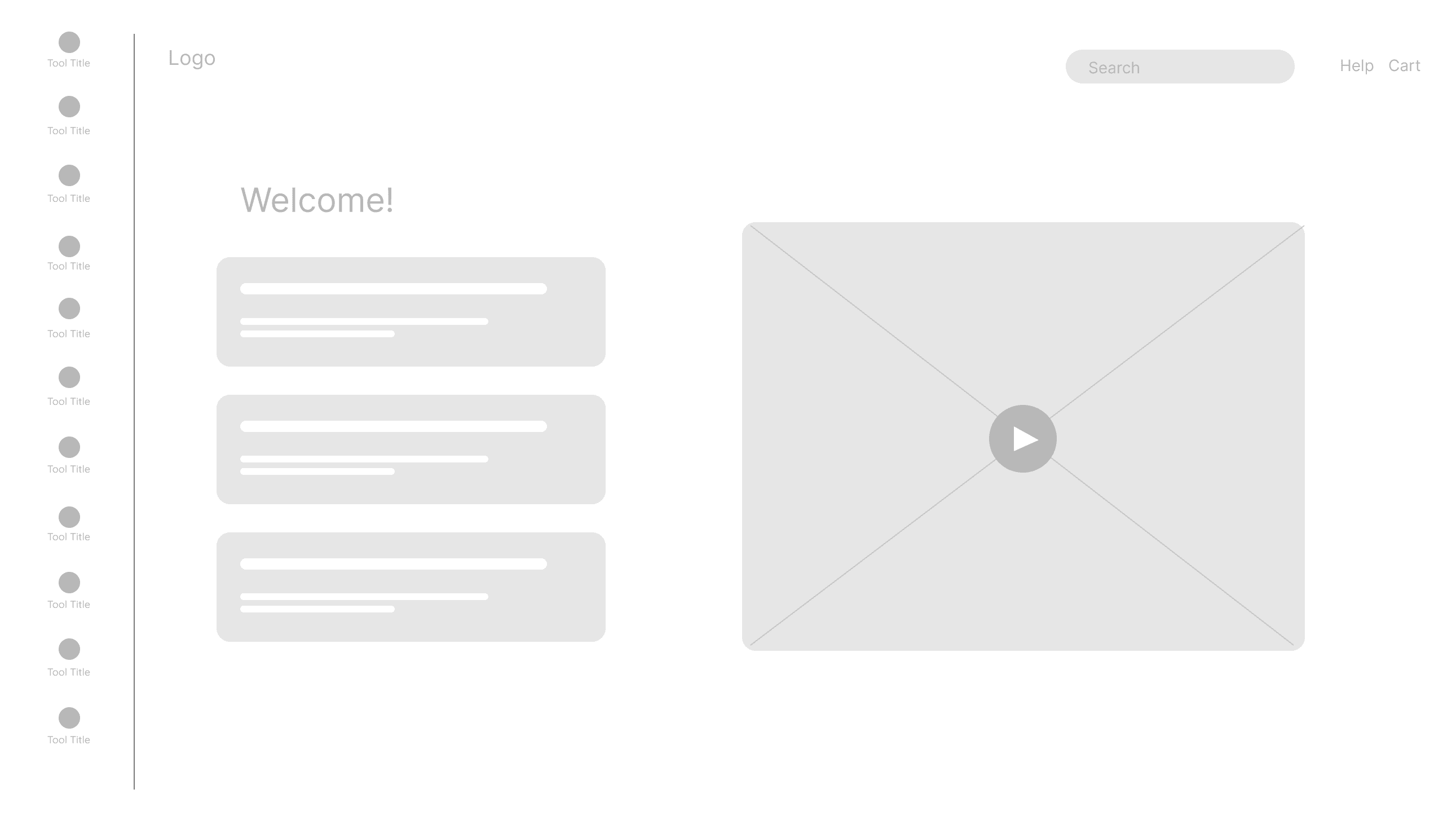
Homepage Wireframe
Central demo video for guided onboarding.
Improves learnability through visual walkthroughs.
Quick access to core tools, grouped by function.
Reduces cognitive load and speeds navigation.
Onboarding cards for Quick Start, FAQs, and User Guide.
Supports faster onboarding and self-service learning.
Search, Help, and Cart for quick actions.
Keeps global functions accessible at all times.
1
Welcome to the Jodo Toolbar
Search Subscriptions

Quick Start
FAQs & Troubleshooting
User Guide
Click on configure to begin!
Click on configure to begin!
Click on configure to begin!


Dashboard

Voice


Library

Location

Reports

Media Traffic

Chat

Social Media

Calender

Team Messaging

Service UI
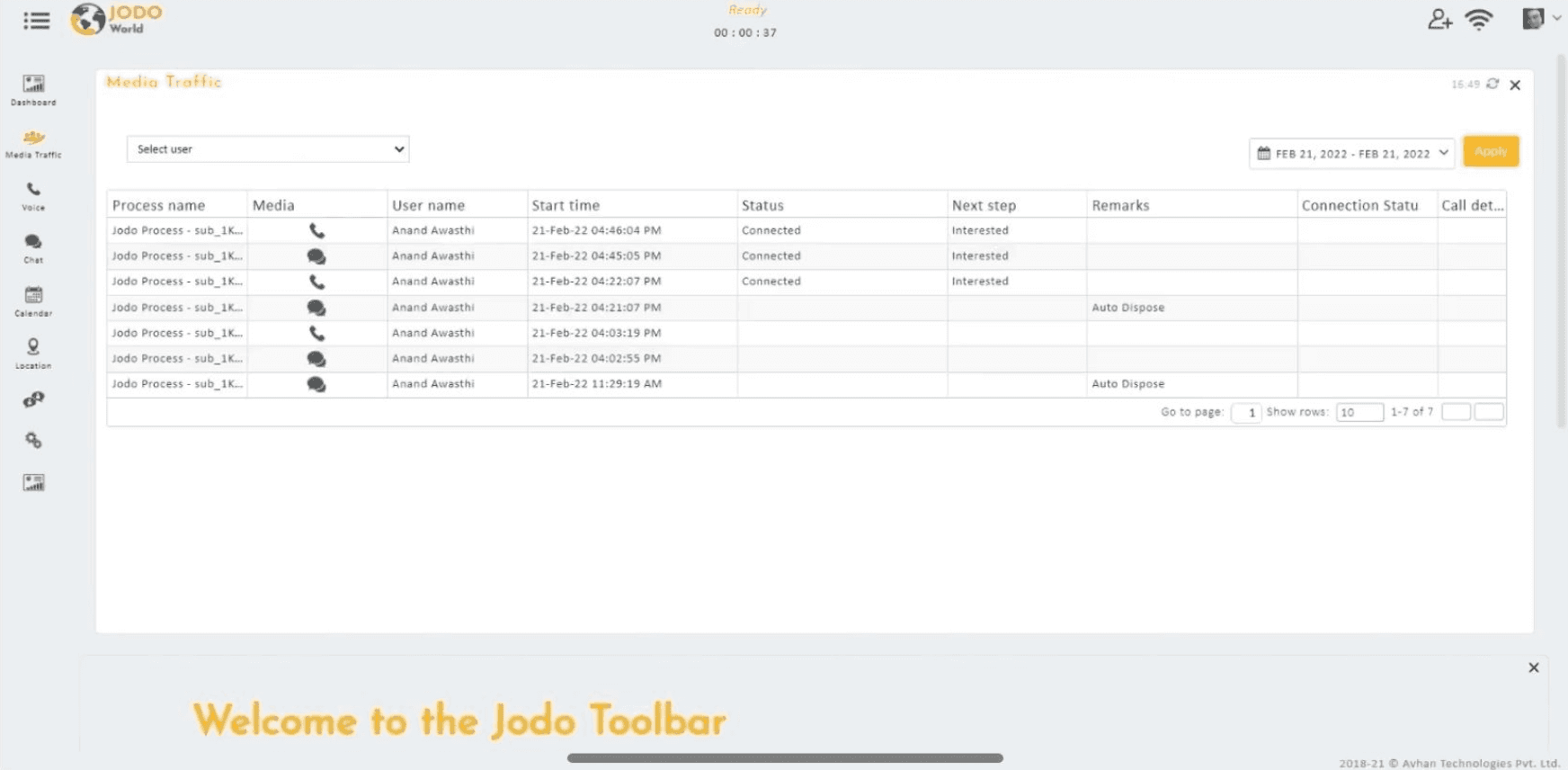
Quick access to essential tools like Dashboard, Voice, Mail, Library, Reports, and Chat, grouped by function to reduce cognitive load.
Central demo video provides guided onboarding, helping agents learn the system faster.
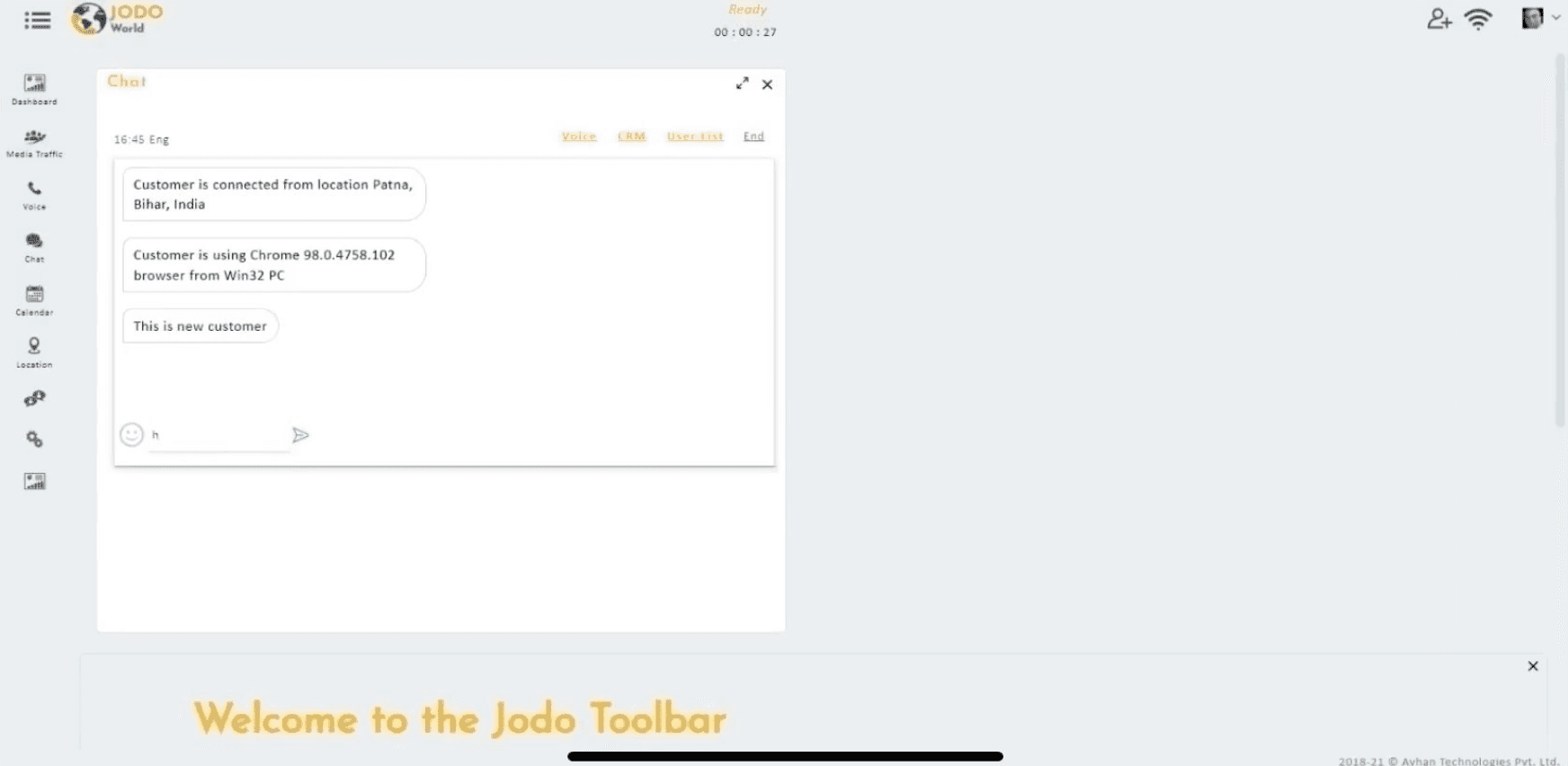
Design Decision: Customer location + device details shown by default alongside chat.
Impact: Reduced recall bias, fewer irrelevant variables during support. Faster time to resolution.
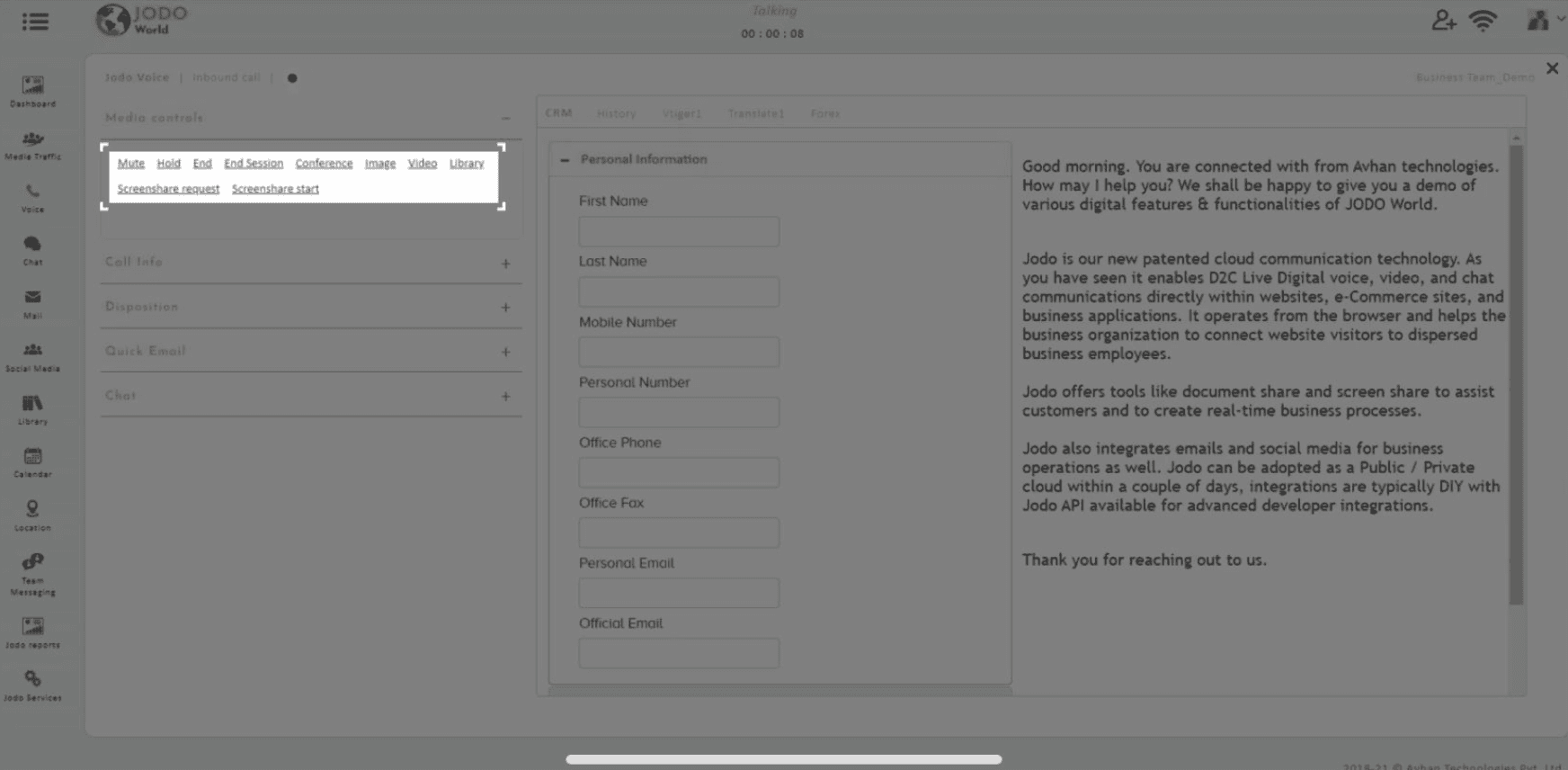
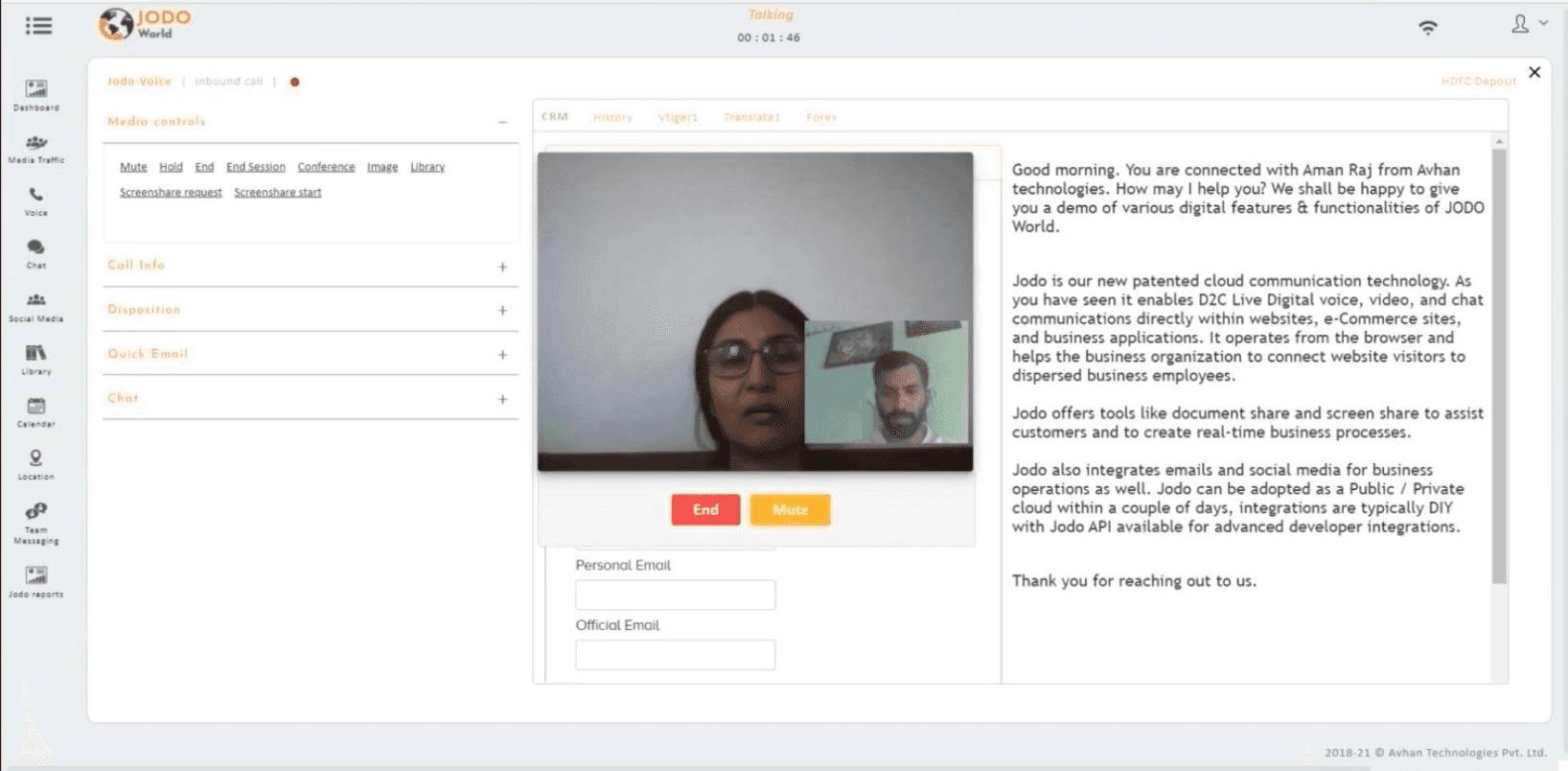
Design Decision: Media controls (mute, hold, conference, video, screen share, image) consolidated in one toolbar.
Impact: Time to resolve issues reduced; duplicate entries avoided by integrating with CRM in real time.
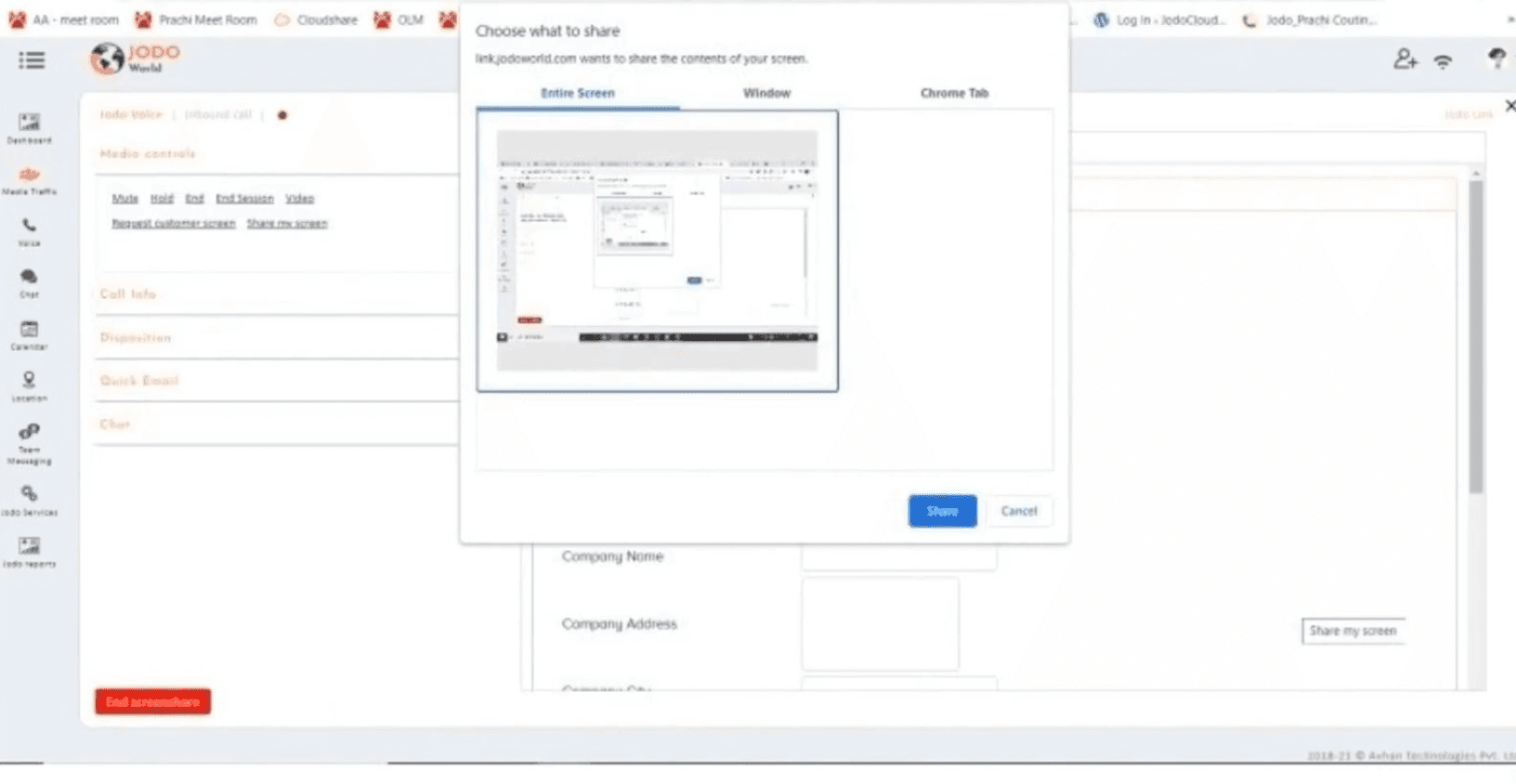
Design Decision: Agents could initiate screen sharing or video directly within the same interface.
Impact: Enabled triangulation of data (voice, chat, visual). Improved clarity for both clients and customers.
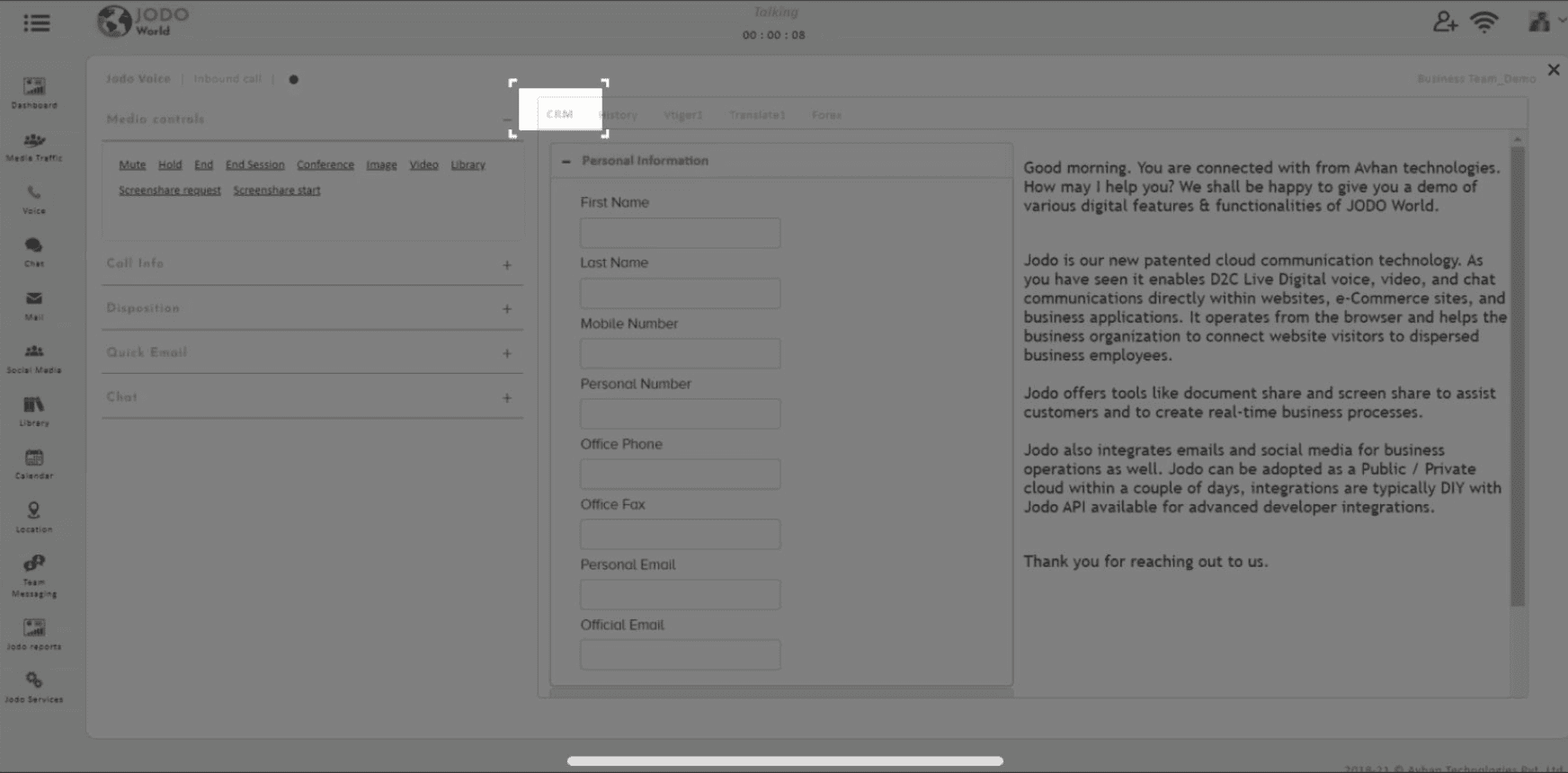
Design Decision: CRM panel displayed alongside live sessions, pre-populated with customer info.
Impact: Granular data captured without duplication. Standardisation of data collection ensured consistency across agents.
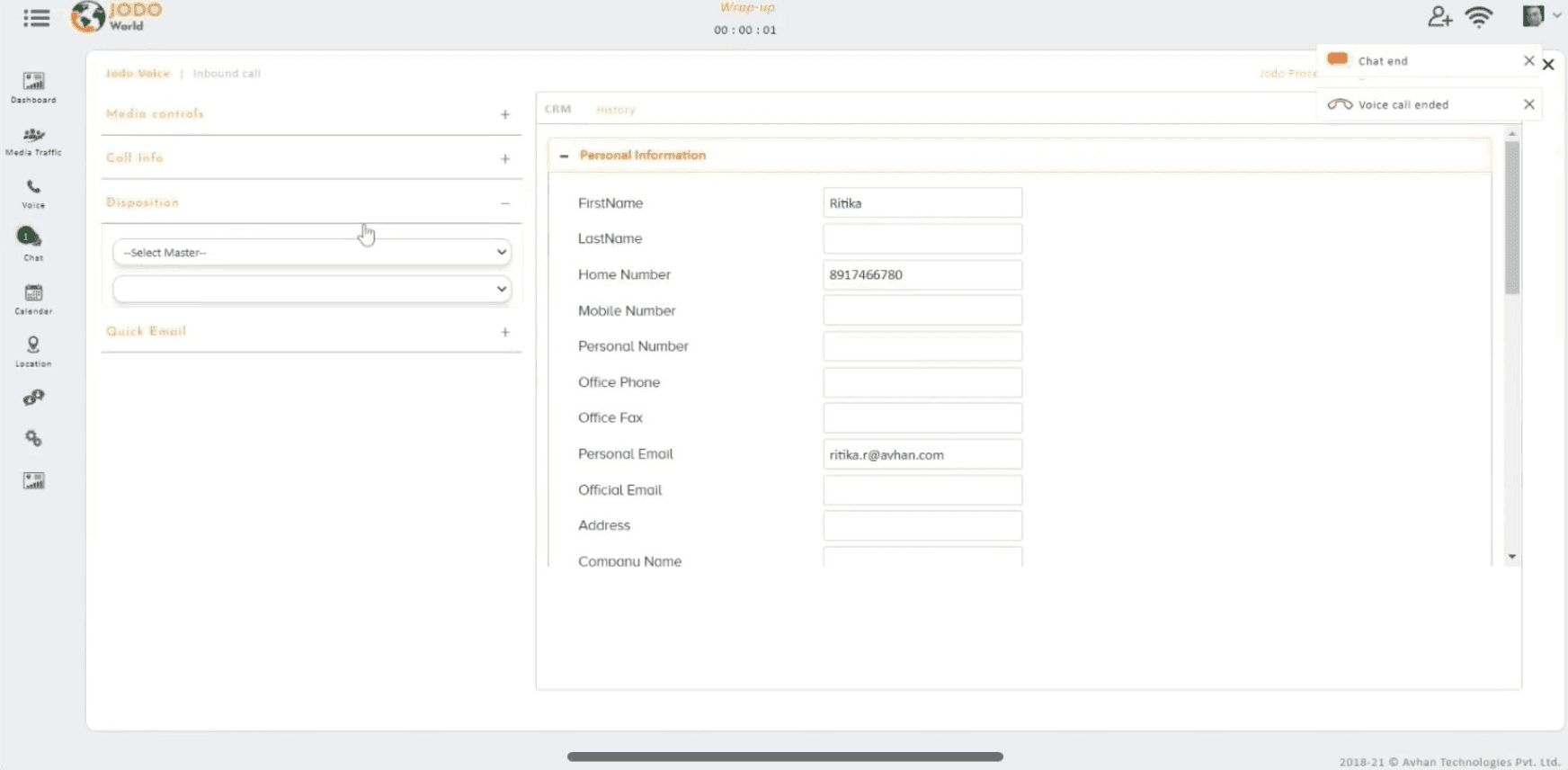
Design Decision: Agents logged call outcome
(reason + remarks) immediately after session.
Impact: Mixed-methods data (quantitative metrics + qualitative remarks). Improved data quality.
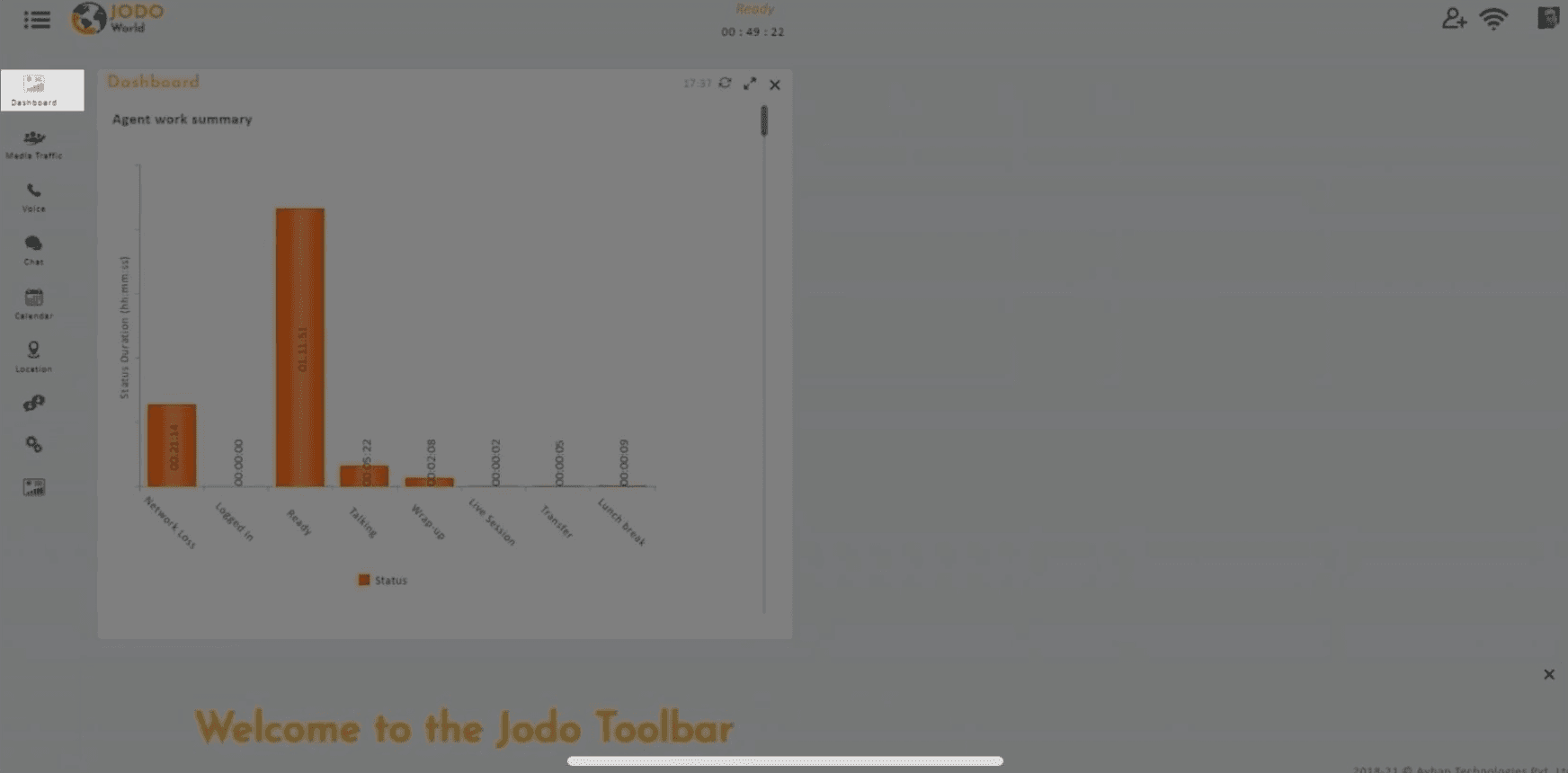
Design Decision: Visual graphs summarised status duration and daily workload.
Impact: Clients gained quick insights on efficiency. Time-on-task patterns revealed areas for improvement.
Design Decision: Table view of past communications with filters + playback of recordings.
Impact: Reduced duplication of records. Supported mixed methods research (quant + qual).
Dashboard
Voice
Library
Location
Reports
Media Traffic
Chat
Social Media
Calender
Team Messaging
Service UI
Search Subscriptions

Your Subscriptions
Marketing
Support
Sales
Configure
Configure
Configure
Connect with customers in real time.
Click on configure to begin!
Click on configure to begin!
Edit company settings
New User Setup
(Edit company settings)
2
Live Interactions
(Incoming requests)
returning user
Dashboard
Voice
Library
Location
Reports
Media Traffic
Chat
Social Media
Calender
Team Messaging
Service UI
Search Subscriptions
Company
Location
Save
Country
State
City
Zipcode
Address
Avhan Technologies
IT Team
Sales & Marketing
Department
Contacts

Company settings provides direct access to edit and manage organizational details such as employees, departments, and locations
Multi-level Impact
Avhan (Platform)
Clients (Businesses)
Customers (End users)
Standardized workflows validated through prototype testing
Removed irrelevant variables across inputs
Unified communication tools (chat, voice, video, screen share)
Early testing screens accelerated product development
Reduced duplicate entries in CRM + improved data consistency
Granular, triangulated data (chat + voice + CRM + logs)
Enabled mixed-method insights (quant dashboards + qual remarks)
Lower respondent fatigue for agents/admins
No need to repeat information across channels (chat → voice → video)
Faster resolution of issues due to context auto-capture
Clearer support experience via multimodal communication |
Increased trust through accurate recall of previous sessions
Learnings & Reflections
Building modular UI kits early to speed up iteration and ensure consistency
Visualizing flows before screens to align stakeholders faster
Start
Overexploring variations without tying them back to user priorities
Waiting until late in the process to address code–design discrepancies
Stop
Continue
Collaborating closely with developers and PMs for feasibility
Simplifying complex workflows into clear, intuitive structures
Welcome to the Jodo Toolbar
Quick Start
FAQs & Troubleshooting
User Guide
Click on configure to begin!
Click on configure to begin!
Click on configure to begin!
Dashboard
Voice
Library
Location
Reports
Media Traffic
Chat
Social Media
Calender
Team Messaging
Service UI
Search Subscriptions
mrun399@gmail.com
Thank you for reading
all the way!
↑ Back to top
→
Substack
→